![Confido - Trademark - Dark (2)-1.png]](https://confidolegal.com/hs-fs/hubfs/Confido%20-%20Trademark%20-%20Dark%20(2)-1.png?height=40&name=Confido%20-%20Trademark%20-%20Dark%20(2)-1.png)
Layout updates
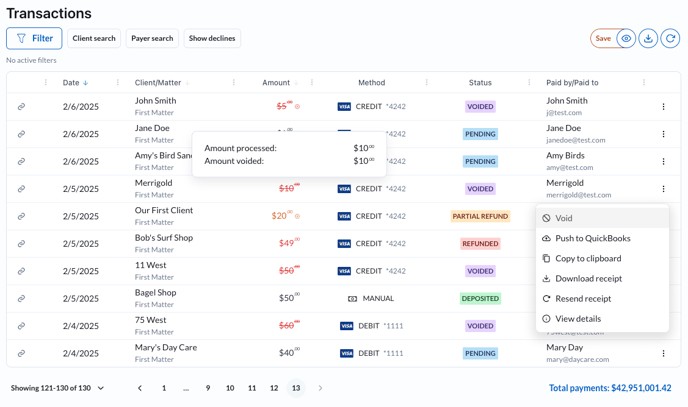
- Filtering has been moved to the top left. See the Filter button and new quick filter options like Client search and Payer search.
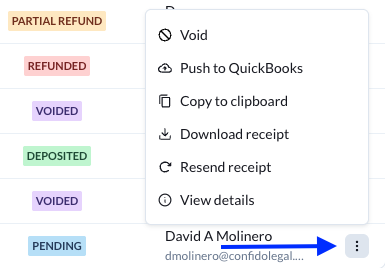
- A new 'sticky' actions menu appears to the right of each row (the three vertical dots) with a lot of helpful actions like void and refund. It will stay visible even on small pages (no more scrolling!).
- The view manager, export, and refresh buttons appear at the top right.
- You can hover over the amounts in the amount column to see amount breakdowns.
- Pagination and totals appear along the bottom and also will remain visible at all screen sizes.
See declines and errors
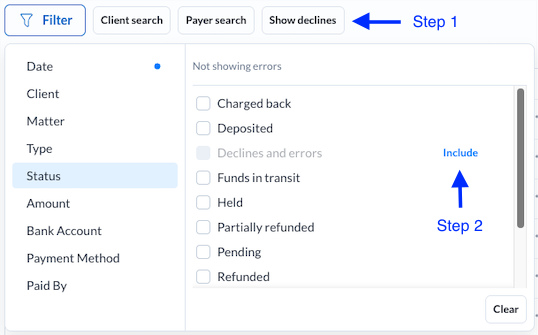
To see declines and errors:
- Click the Show declines quick filter above the table
- Click the Include button next to declines and errors
Hover over the error status badge to see the specific error message. 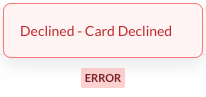
Quick actions (Void, refund, send receipt, etc)
By clicking on the action menu on the right hand side of each row, you can quickly perform common actions like refunding or voiding a transaction.
Saved views
There is a powerful new view manager that lets you save custom views.
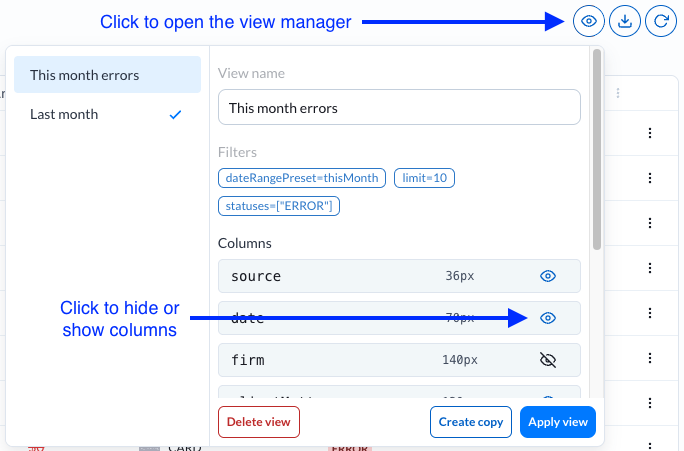
Using the view manager to update a view or save a new one
- Set any filters options you would like to select for your saved view (types, statuses, date range presets, etc).
- You will see a save button appear:

- If you click Save it will save your filters to the current view
- If you click the eye icon connected to save, it will open the view manager
- To save your filters as a new view, click Save as new
- Give your new view a new name using the 'View name' field at the top of the view manager.
- Click Save
New filtering options
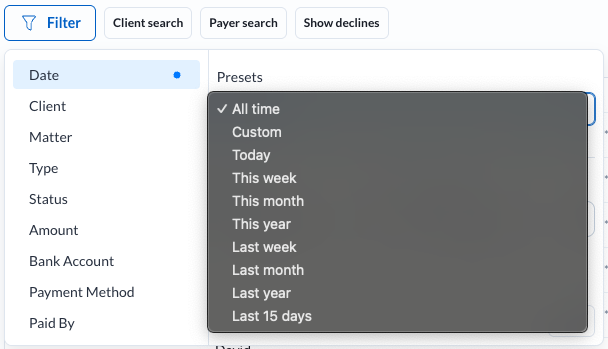
You can now filter quick filter by a selection of date range presets.
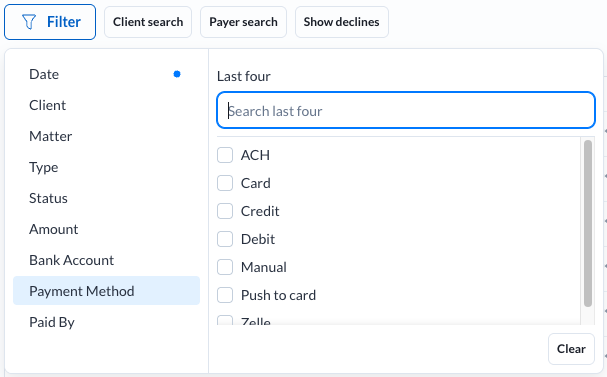
You can also search by last four of card or bank account (ACH).
You can also now:
- Filter by multiple clients or matters at the same time
- Filter for disbursement transactions (for customers using our disbursements platform)