![Confido - Trademark - Dark (2)-1.png]](https://confidolegal.com/hs-fs/hubfs/Confido%20-%20Trademark%20-%20Dark%20(2)-1.png?height=40&name=Confido%20-%20Trademark%20-%20Dark%20(2)-1.png)
Prerequisites
- Your Confido Legal + Lawcus integration is already enabled.
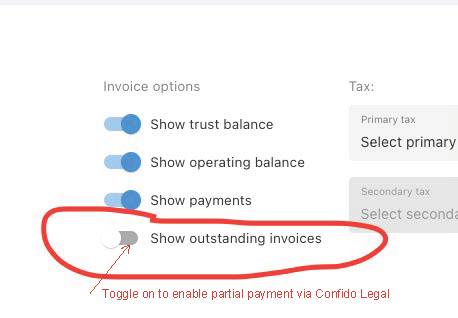
- Show outstanding invoices is toggled on/enabled in Invoice options
Submitting Partial Payments on Invoices
- Send the client the Invoice payment page link.
- When the client clicks the Invoice payment page link, they will see a page similar to this with the total amount due for all their outstanding invoices or trust requests.
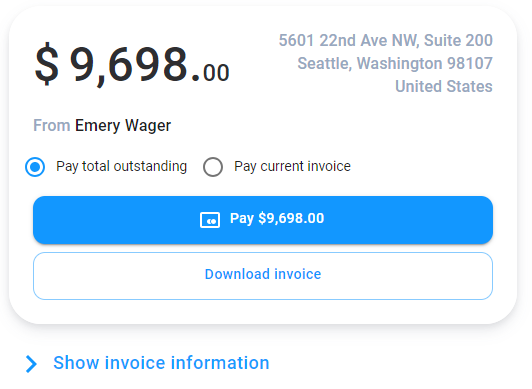
- Click on Show invoice information to see each individual invoice or trust request.
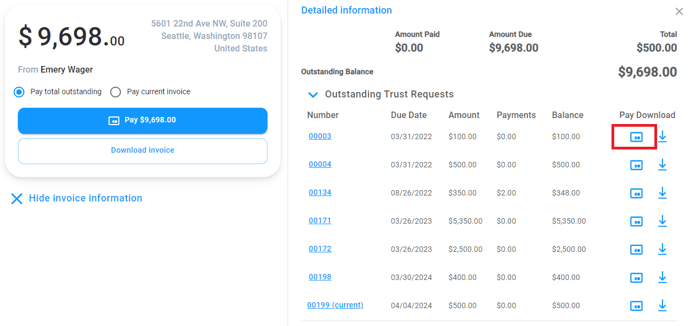
- Click the credit card icon
 to make a payment for one invoice or trust request.
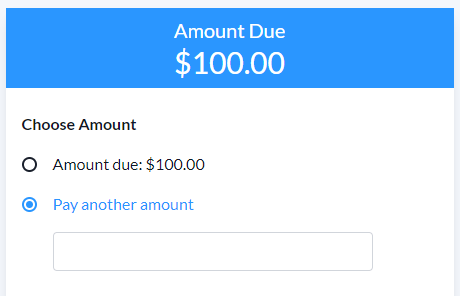
 - On the individual payment page, the client now has the option to pay another amount, or a partial amount.