![Confido - Trademark - Dark (2)-1.png]](https://confidolegal.com/hs-fs/hubfs/Confido%20-%20Trademark%20-%20Dark%20(2)-1.png?height=40&name=Confido%20-%20Trademark%20-%20Dark%20(2)-1.png)
Prerequisites
Accepting Payments on Invoices
- Log in to Lawmatics and create an invoice.
- Click the Email icon on the invoice home screen to send the invoice directly to the client with a link to pay.
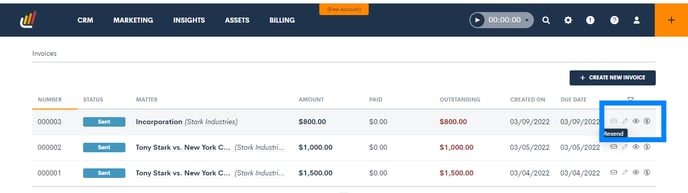
- All payments made on links associated with an invoice will be automatically applied to that invoice.
Accepting Payments on Trust Requests
- Log in to Lawmatics and create a trust request. Note: The process for creating a trust request is the same as the process for creating an invoice, except select a target bank account of Trust.
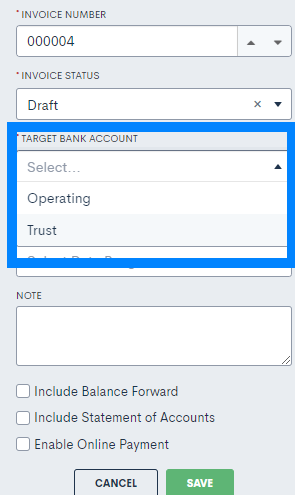
- The process for accepting payment on a trust request is the same as the process for accepting payment on an invoice (see above).
- All payments made on links associated with a trust request will be applied to that trust request and the trust balance associated with that matter.
- Note that all payment processing fees are deducted only from the firm's operating account.
Refunds and Voids
- To run a void or refund, log in to Confido Legal.
- Process the void or refund.
- Manually mark that void or refund in Lawmatics.